FAB Balance Check: Ways to Check Your Account, Salary & Card Balance in UAE
FAB balance check allows you to quickly know the amount of money in your FAB account, debit card, credit card, or Ratibi card. There are a number of ways to access your balance with FAB, such as by using their FAB Mobile app, online banking, ATMs, and customer support. Which method you can use will depend on the kind of FAB product you have. For Ratibi and other cardholders with prepaid cards, the balance enquiry service may be dedicated. You can also check recent transactions to verify payments, salary credit, transfers, or other transactions in your accounts. If your balance seems to be wrong, you can review your transaction history to find out why and avoid contacting FAB.
How to Check Your FAB Bank Account Balance
The easiest solutions for a standard FAB current or savings account are FAB Mobile, FAB Online Banking, FAB ATM, or FAB Customer Support. For those who will be on the go, the mobile app is also incredibly handy, as it brings balance data in addition to transaction history and other account services.
Check Your Balance Through FAB Mobile
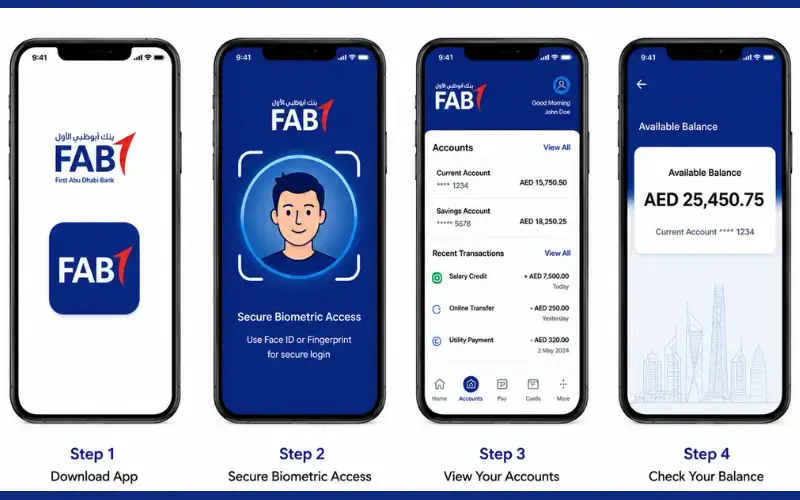
FAB Mobile is the official banking application for First Abu Dhabi Bank on iOS and Android. Existing customers are able to register with FAB using their customer number, debit card number, credit card number, a smartphone, and a secure internet connection.
To check your account balance:
- Use the official FAB Mobile app.
- Use your signed-up account to log in.
- Access your card or account details directly from the home screen.
- Check the balance and transactions displayed.
The app gives customers the ability to manage their accounts, process their debit and credit cards, and also access their balances, FAB says. The latest app also offers transaction history, spending insights, and live alerts.
Users who have any trouble logging in or maintaining the app should try to update the application, wait a little longer, or contact their bank if the issue persists, FAB recommends.
Check Your Balance Through FAB Online Banking
Customers who prefer to use a web browser are also able to use FAB Online Banking. According to FAB’s security paperwork, online banking has a unique customer ID and a customer password, and some transactions are further authenticated with FAB Mobile.
Once logged in on the official FAB website, click on the account/card for which you wish to check the information. Don’t submit your banking information on sites that aren’t FAB.
In addition, FAB automatically logs off from an online banking session when it is inactive, giving another layer of security to the web banking service.
How to Check FAB Balance at an ATM
An ATM can help you if you don’t wish to use mobile or online banking. Slide your FAB card into the ATM, enter your PIN number, and select the balance enquiry.
This is the exact wording for the menu, which may vary depending on the ATM interface used, so use the wording on the machine, not an unofficial step sequence.
To keep your PIN safe from others, cover the keypad when typing it in and collect your card and machine receipt before leaving the ATM. Do not enter PIN for anyone.
FAB’s Ratibi information also states that Ratibis can be used at FAB’s ATM and cash-deposit-machine network, and the card can be utilized with most of the ATM networks that assist.
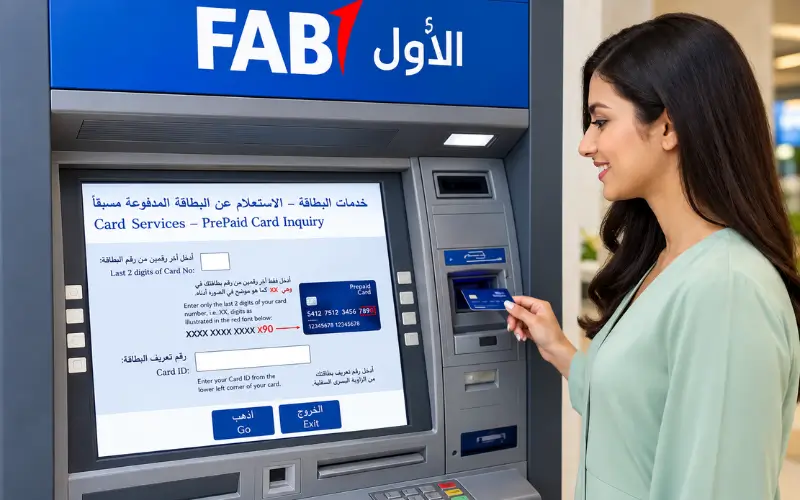
FAB Balance Check for Ratibi Salary Cards
A Ratibi prepaid card is not a regular FAB bank account. According to FAB, Ratibi is a payroll solution for employees with salaries up to AED 5,000 that enables employers to pay their employees directly onto the card without the need for a bank account.
It’s important because the same balance-checking system found with a regular FAB current account should not be applied to the prepaid card.
There is a balance enquiry option for existing Ratibi Card Holders on FAB’s official Ratibi page. This is the right place to check an online Ratibi card balance.
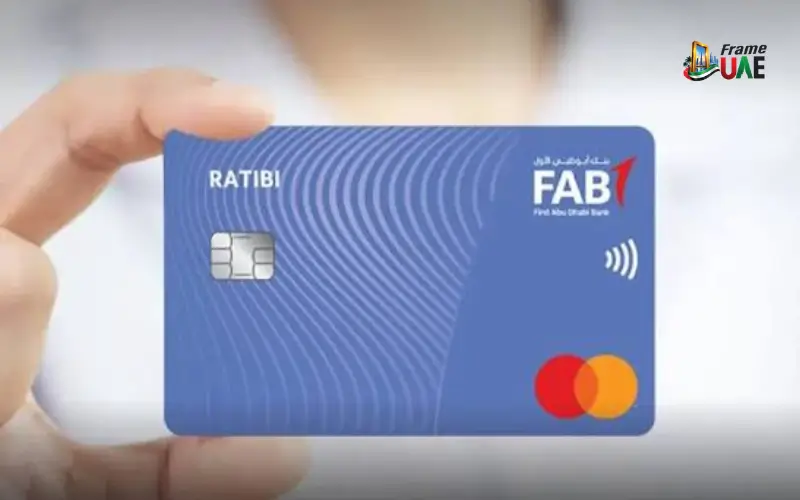
What You Need for a Ratibi Balance Enquiry
Depending on the type of prepaid-card service and the authentication process, the information could vary. The page created by FAB does not list all the fields on the external enquiry page in the page text, but it confirms a separate enquiry route for balance enquiries.
In that case, avoid third-party websites that state they ask for a specific type of card number or personal information unless the same information is displayed on the official site.
You should not re-enter information or visit a different balance check web page, as it is not accepted on the official enquiry page – contact FAB instead.
Checking Other FAB Prepaid Card Balances
FAB has a number of prepaid card products apart from Ratibi. The proper inquiry method may then be dependent on the actual card you have.
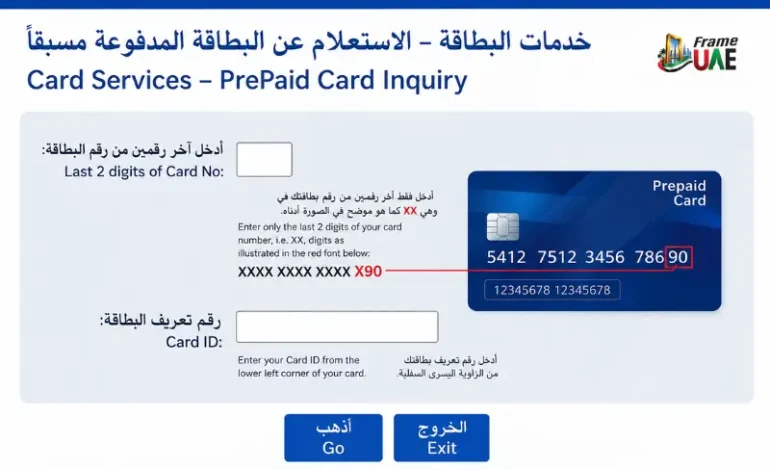
For instance, FAB’s Payment Prepaid Card page clearly offers a free balance enquiry service over the web at the address of Magnati PPC Inquiry.
This is a crucial distinction with respect to normal bank account balances. If the FAB Mobile process is taken, it may not be the best way to run a prepaid product, as it could have its own card-management and balance-enquiry infrastructure.
If you have any questions regarding the application of the service to your card, please refer to the official FAB product page of your card or contact FAB customer support.
Can You Check a FAB Balance Without the Mobile App?
Yes. It’s not necessary to rely solely on the mobile application.
Alternatives to a standard FAB account are online banking, an ATM, and customer support. The mobile app, Online Banking, phone banking, or going to a branch to check an account balance is confirmed by FAB itself in its account support information.
In the case of prepaid products, FAB may offer a separate online enquiry service. For instance, the Payment Prepaid Card page mentions an online facility for checking a balance, which is known as a balance enquiry service using the prepaid-card system.
The proper selection then is not just based on the name of the bank but also the product.
FAB Balance Check Through Customer Support
When there is no access to the digital, please reach out to FAB’s customer-care team.
Callers within the UAE can call FAB at 600 52 5500, while callers outside the UAE can place a call to FAB at +971 2 681 1511. Published customer-care details claim it’s open around the clock in the UAE.
To discuss account details, a customer may need to verify their identity with customer support. After verifying using the proper methods, FAB’s security information says that customer service will help the customer with their account.
If you call the bank, DO NOT call the FAB telephone number from an unknown site, but use a number listed on FAB’s official website.
What Is the Difference Between Available Balance and Account Balance?
The term ‘balance’ can mean different things on a banking service depending on the account/card.
The balance of your account is typically the amount that is listed in the account, and the available balance is the amount of money available to make transactions in the account after applicable holds, pending activity, or adjustments.
The actual presentation will vary by FAB product and banking channel. Check the transaction and any pending activity if the two figures do not seem to be the same before assuming that one is wrong.
With the current mobile banking service, FAB offers customers transaction history and smarter transaction information, which may help them determine if there has been any recent activity that could have affected the amount of funds available to them.
Why Is My FAB Balance Not Updating?
There can be a variety of valid reasons why the balance looks different than you’d expect. The amount available may be impacted by a recent card transaction, a pending transaction, a salary credit, a transfer, or by other activity on your accounts.
First, look at the transactions on FAB Online Banking or FAB Mobile. According to FAB, its current mobile application offers transaction history, categories, and search filters, allowing users to check recently made transactions.
If the transaction has not provided any explanation of the difference, please get in touch with FAB directly. Never give your bank details or OTP to a fake website that says it’s going to check your balance.
What to Do If FAB Mobile Is Not Working
If the application cannot be opened, cannot log in to it, or is showing a maintenance message, FAB suggests updating the application and then trying again after a period of time. If the problem continues, the bank advises customers to get in touch with FAB.
Alternatively, another official method of communication can be used, including online banking, an ATM, or customer support, depending on the account type.
Another instance where FAB could deny mobile-banking capabilities is if its security systems spot potentially unsafe apps or device settings. When this type of restriction is detected, the bank will warn the customer that they can still use FAB Mobile from another safe device or they can log in to Online Banking using a secure web browser.
FAB Balance Check for Credit Cards
A FAB credit card is NOT a current or savings account. But for those using credit cards, they might need to check their outstanding balance, available credit balance, and their transactions.
Credit-card management features are offered in FAB Mobile and Online Banking. According to FAB’s official details, the customer can avail of the card services both online and offline with the transaction-related services.
When considering the amount of credit to have at your disposal to make a purchase, look closely at the card information and not the cash in a deposit account.
Is FAB Mobile Available Outside the UAE?
Yes. FAB says customers are able to log in to FAB Mobile from anywhere outside the UAE, as long as they have Wi-Fi or an appropriate roaming data service.
This can benefit residents of the UAE when they travel abroad or customers who are out of the country for a short duration and wish to check their accounts.
Security remains important, even when accessing banking services abroad. Don’t sign in with links from unknown messages, and use your trusted device and secure connection.
FAB Balance Check vs Ratibi Balance Check
The primary difference is the product being tested.
| Product | Appropriate channel |
| FAB current account | FAB Mobile, Online Banking, ATM or customer support |
| FAB savings account | FAB Mobile, Online Banking, ATM or customer support |
| FAB debit card linked to account | FAB Mobile, Online Banking or supported ATM |
| FAB credit card | FAB Mobile, Online Banking and relevant card services |
| Ratibi salary card | Official Ratibi balance-enquiry service and supported card channels |
| FAB Payment Prepaid Card | Official prepaid-card balance enquiry |
| Other FAB prepaid cards | Check the specific product’s official FAB instructions |
It is important to note that the correct balance enquiry path may differ from product to product, as FAB’s official product pages differentiate between conventional banking products and prepaid cards.
FAB Balance Check: Security Tips
Do not type in banking information in a third-party balance-check form. You can find websites in search results that mimic official banking language names – look for the domain to ensure that it is the right one before entering any information.
- Bankfab.com for FAB banking information and official service links.
- Do not disclose your PIN, password, or OTP to anyone or website.
- Avoid entering all of your card information on a website that is not official for balance-checking.
- If a website requests information that is not required for the official service, exit the website and consult with FAB regarding the information needed.
- If you think you may have seen any unauthorised activity, contact the FAB contact centre.
Online threats and how FAB protects its banking services are outlined in its own security guidance, which states that the bank employs various controls such as authentication and encryption in addition to monitoring transactions.
FAB also alerts customers to fraudulent investment offers via social media and suggests that customers check communications via official channels.
What If You Forgot Your FAB Mobile PIN?
It’s not necessary to make a new account. According to the latest FAQ available on FAB’s mobile banking website, users can click Forgot PIN on the FAB Mobile login page and then can follow the PIN recovery process to regain access.
Immediately contact FAB if you have lost your phone or suspect your banking access has been compromised. The bank telephone numbers are 600 52 5500 for calls from the UAE and +971 2 681 1511 for calls from outside the UAE.
How to Choose the Right Balance-Checking Method
The fastest method will be dependent upon what you have with FAB.
If you use a regular FAB bank account, you should use FAB Mobile first. Provides you with balance data, transaction history, and other account management tools.
If you use a salary card from Ratibi, use the specific Ratibi balance enquiry feature (FAB) and NOT a conventional bank account login, as this may not reflect the current balance of your salary card.
For those who have a FAB prepaid card, read the product instructions. FAB makes a dedicated online enquiry balance for Payment Prepaid Card available via the Magnati prepaid card system.
If the issue cannot be addressed through the self-service tools, FAB’s customer care is the official point of contact.
Conclusion
With a FAB balance check, you can easily verify the funds on your account or card without having to go into a branch. You can check your bank balance by using FAB Mobile and Online Banking, ATMs, or customer support services. Prepaid and Ratibi cardholders might have to use the particular balance enquiry service offered for their card. Check your recent transactions and account credit before calling your bank about an unexpected balance, as it could be a temporary glitch with payments, transfers, or salary credits. Always contact the official FAB service to check your balance, and do not share your PIN, password, or OTP.
Read Also: NBAD Balance Check: How to Check Your Balance Today
Labour Card Check in UAE: How to Check Your Labour Card Online
Frequently Asked Questions
How can I check my FAB account balance online?
To log in to a regular FAB account, please log in to FAB Mobile or FAB Online Banking. FAB has confirmed that it enables its digital banking channels to give customers a view of their account and card balances.
Can I check my FAB balance without internet?
Yes. For some products, use an ATM or get in touch with FAB Customer Support. There may also be different enquiry channels for Ratibi and some prepaid cards.
How do I check my Ratibi salary card balance?
Get the Ratibi Prepaid Card Balance Enquiry from FAB’s official Ratibi web page. Unlike a traditional FAB bank account, Ratibi’s balance-checking procedure is different.
Can I check my FAB balance through the mobile app?
Yes. According to FAB, the FAB Mobile app enables users to handle accounts and cards and view the balance. The app is compatible with the latest Apple and Android devices.
What is the FAB customer-care number in the UAE?
For calls from inside the UAE, FAB charges 600 52 5500. The published phone number for international callers is +971 2 681 1511.
Can I check my FAB account balance while abroad?
Yes. FAB Mobile can be used outside the UAE when using Wi-Fi or an appropriate roaming data service, FAB states.
Why is my FAB balance different from the amount I expected?
The amount available for use is subject to changes due to recent transactions, pending activity, or other adjustments to the account. Check your transaction history, and if there is something that doesn’t add up, contact FAB.
Can I check a FAB prepaid card balance online?
If the card is an applicable prepaid card, yes. FAB, the prepaid card company, offers a free prepaid card balance enquiry service online using the Magnati PPC system. There may be other prepaid products that have different procedures.
Is Ratibi the same as a normal FAB bank account?
No. FAB refers to a prepaid salary card which can be issued to eligible employees to receive their salary without using a normal bank account.
What should I do if FAB Mobile is not working?
If you have any issues with logging in or maintenance, FAB advises updating the app and attempting again later. If the problem persists, please reach out to FAB.
Is it safe to use third-party websites for a balance enquiry?
When it comes to banking security, bank through the official website or official apps, or through ATMs or published customer support channels. Never provide your PIN, password, OTP, or full card information on an unofficial site.